My Blinkie

My Favorite Forums


Blogs I Love




Popular Posts
-
 Click the Image above to go to download, Please do not share, If you want to share please share this page link. Hope you like it, please le...
 -
 I have a new Freebie Kit for you, I hope you all like it. Not All is showing. Please Read TOU before using To get the kit click on the prev...
 -
 This tutorial is my own “ Linda Atkins aka Lynx the Minx Designs” any resemblance to any other, is only coincidence and not intentional. I a...
 -
 This tutorial is my own “ Linda Atkins aka Lynx the Minx Designs” any resemblance to any other, is only coincidence and not intentional. I a...
 -
 This tutorial is my own “ Linda Atkins aka Lynx the Minx Designs” any resemblance to any other, is only coincidence and not intentional. I...
 -
 is tutorial is my own “ Linda Atkins aka Lynx the Minx Designs” any resemblance to any other, is only coincidence and not intentional. I am ...
 -
 Welcome to the Creative Chicks 2024 Autumn, Halloween, Thanksgiving Blog Train! We have Autumn, Halloween, and Thanksgiving goodies to share...
 -
 Please do not claim these as your own, Do not change the file names. If sharing please only give the link to these to my Blogspot. Hope you ...
 -
 Please do not claim these as your own, Do not change the file names. If sharing please only give the link to these to my Blogspot. Hope you ...
 -
 This tutorial is my own “ Linda Atkins aka Lynx the Minx Designs” any resemblance to any other, is only coincidence and not intentional. I a...
CU License

CU4CU Tube Licenses

CU License
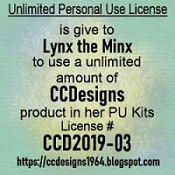
CU License
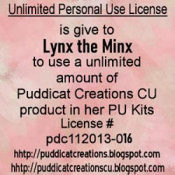
CUCU License
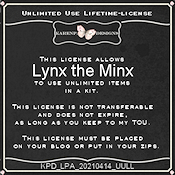
CU License
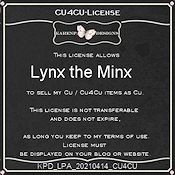
Free CU License



This
tutorial is my own
any resemblance to any other,
is only coincidence and not intentional.
I am using PSP 2022 Ultimate
This should work with any other PSP/Corel.
Written: 07.10.23
..........................................
I am using a PTU kit called “Sunset Beach”
by
me “Lynx the Minx”
You can find it at any of these stores!
I
am currently selling with “Secret
Garden Designs”, “Twisted
Sisters Creatives”
“Digital
Scrappin Depot” and “Simply
Scarps and Designs”
Font
of choice,
This is a PTU Font
You can find it at “Creative Fabrica”
Mask of choice
I
am using “Lynx-Mask13 ”
You
will need filter
Drop Shadow
Vertical:3 Horizontal:2 – Opacity: 80 – Blur: 10.00
Lets get started …
Open
New Image
Layers
Load/Save
Mask - Load Mask From Disk
Merge Down
Add
Elements
LTM_elements056 – Resize 250
px
LTM_elements055
LTM_hotairballoon01 – Resize it 45%
LTM_lighthouse01
LTM_plamtrees01 – Resize 75%
LTM_element010
LTM_element003
Duplicate, Image/Mirror
LTM_Tiki Bar 02
LTM_TropicalDrink04 – Resize 100 px
Move onto Bar
LTM_tikipole04
Duplicate. Image/Mirror
LTM_SeaGull – Resize 100 px
Move onto one of your Tikipoles
LTM_element037 – Resize 45%
Duplicate, Image/Mirror
LTM_Lady01 – Resize 85%
LTM_man02
LTM_chichauhua01 – Resize at 225 px
LTM_element011 – Resize 175 px
LTM_pelican01 - Resize 65%
Merge Visible
Effects
Highlight top layer
Layers – New Raster layer
Add your copyright information
Merge Down
Image – Resize 700 x 700 pixels
Adjust – Sharpness – Sharpen
Now add your name
Save
as png.
For my AVI I am using LTM_element027
Resize
to 150x150 px
add copyright “Lynx the Minx”
Now add your
name
Hope you enjoyed the tutorial,
♥ Would love to see your results ♥


This tutorial is my own
“Linda Atkins aka Lynx the Minx Designs”
any resemblance to any other,
is only coincidence and not intentional.
I am using PSP 2022 Ultimate
This should work with any other PSP/Corel.
Written: 06.18.23
..........................................
I am using a PTU kit called “Independence Day”
by me “Lynx the Minx”
You can find it at these store
“Elegancefly”
and “PicsforDesign”
“Simply
Scraps and Designs”, “Twisted
Sisters Creatives”
and “Digital
Scrappin Depot”
Font of choice,
I am using “Patriotic”
Mask of choice
I am using “Lynx-Mask13”
You can find it here
You will need filter
“Xero”
Drop Shadow
Vertical:-1 Horizontal:1 – Opacity: 100 – Blur: 2.00
Give this DS on all the items that will be on this tag.
Lets get started …
Open LTM_paper01
Duplicate
Close Original
Layers
Load/Save Mask - Load Mask From Disk
Layers - Merge Group
Merge Down
Add Elements and Tube
I resized my tube to 463 x 726 pixel
The Tube I used was LTM_0005_6
Front of Tube
LTM_element 37 – Resize 75%
LTM_cat04
– Resize 50%
LTM_icecreamcone01 – Resize 50%
LTM_USAGnome01
– Resize 75%
LTM_bird03
– Resize 65%
LTM_element 43 – Resize 50%
LTM_element26
– Resize 40%
LTM_element65 – Resize 40%
Behind Tube
LTM_element
48 – Resize 75%
LTM_element
46 – Resize 40%
LTM_element 50 – Resize 85%
LTM_SCS_Flower02CU Ele-28 – Resize 90%
Use your Selections Tool
Feather at 25%
Go along the bottom, then delete
LTM_element 36 – Resize75%
LTM_element 35 – Resize 40%
LTM_USAGnome02 – Resize 75%
Now merge all together on you tag
Layers – New Raster layer
Add your copyright information
Merge Down
Image – Resize 500 x 500 pixels
Adjust – Sharpness – Sharpen
Now add your name
Save as png.
Resize 150 or whatever you want your avi to be.
I
am going to use “LTM_cat04”
If you use this image be sure to
add “AI Generated by Lynx the Minx”
Hope you enjoyed the tutorial,
♥ Would love to see your results ♥


This tutorial is my own
“Linda Atkins aka Lynx the Minx Designs”
any resemblance to any other,
is only coincidence and not intentional.
I am using PSP 2023 Ultimate
This should work with any other PSP/Corel.
Written: 04.17.23
..........................................
I am using a PTU kit called “Magical Fantasy”
by
me “Lynx the Minx”
I am using the tube “Iris” by
“©MarusovA
ART”
The
tube comes with the kit.
You can find at these stores
“Twisted Sisters Creatives”, “Digital Scrappin Depot” and
Font of choice,
I
am using “Spring Story”
This is a PTU Font
You can
purchase it from
Mask
of choice
I
am using “Lynx-Mask13 ”
You
can find it “Here”
You will need filter “Xero”
Drop
Shadow
Vertical:3
Horizontal:2 – Opacity: 80 – Blur: 10.00
Lets get started …
Open LTM_paper20
Duplicate
Close
Original
Layers
Load/Save
Mask - Load Mask From Disk
Layers
- Merge Group
Merge
Down
Add Elements and Tube
Tube “Iris 2” - Resize 600x600 px.
Front of Tube
LTM_ai-dragonfly01
– Resize 134x150 px
LTM_ai-babydragon02 – Resize 203x225
px
LTM_ai-bee02 – Resize 91x100 px
LTM_ai-fairy01 – Resize
319x350 px
LTM_element(011) – Resize 196x200
px
LTM_ai-springfairy01 – Resize 303x300 px
LTM_ai-butterfly01
– Resize 110x125 px
LTM_ai-butterflygirl01 – Resize 175x161 px
Behind Tube
LTM_sunandcloud
– Resize 350x288 px
LTM_Foresteryktbdnscraptree – Resize
555x600 px
LTM_ccd_grass1
LTM_ai-blackunicorn01 – Resize
85%
LTM_element(008) – Resize 113x125 px
LTM_ai-fence01 –
Resize 75%
LTM_ai-lavender01 – Resize 206x225
px
LTM_ai-Mushroom01 – Resize 167x200
px
duplicate
Image/Mirror
Merge Down
duplicate
Image/Mirror
Merge Visible
Effects
Xero/Porcelain
Highlight
Your tube layer
Layers
– New Raster layer
Add
your copyright information
Merge
Down
Image – Resize 500 x 500 pixels
Adjust – Sharpness – Sharpen
Now add your name
Save
as png.
Now for your Avi
I am going to use LTM_ai-butterflygirl01 as my avi.
Resize to 155
Open
a new image 150x150
add your image
add your initial
save as png.
Hope you enjoyed the tutorial,
♥ Would love to see your results ♥
I'm Protected

Designer Manager
Award

Award

Award

"Creative Fabrica"

Free CU License

LTMCreation Free CU License

Free CU License
Free DAD CU License